System Settings
Configure organization details, roles and permissions, academic structure, financial defaults, integrations, and platform policies.
This page explains how Admins configure global settings for the organization. Use it to manage identity, roles and permissions, academic structure, financial defaults, integrations, and platform policies.
Global Configuration
System settings apply across your entire organization and affect all users. Configure these carefully as changes impact the entire platform experience.
How to Use
Organization Profile
- In the top navigation click Gear icon (⚙︎).
- Update:
- Name, logo, and branding (light/dark)
- Contact info (email, phone, address)
- Timezone and locale defaults
- Academic year start/end dates
Organization Identity
Your organization profile settings determine how the platform appears to all users. Choose branding and timezone settings that best represent your organization.

- Set Organization Type (IT Bootcamp, Sports Academy, Madrasa).
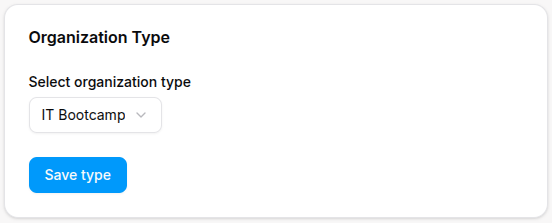
- Click Save. Changes apply across the platform.
Organization Type Impact
The organization type you select determines which features are available and how the platform is configured. Choose carefully as this affects the entire system functionality.
For Organization Types
- Configure Project/Challenge subjects and assessment rubrics
- Set portfolio/GitHub integration if used
- Create training categories and performance metrics subjects
- Enable attendance QR if you track session check-ins
- Set competition season dates in academic calendar
- Add subjects for Quran, Tajweed, Islamic Studies, Arabic
- Enable Arabic RTL UI as needed
- Configure grading to support memorization and recitation rubrics
Tips
- Align Roles & Permissions with your HR onboarding process before inviting users.
- Define Academic Structure early to avoid rescheduling later.
- Use consistent Financial Defaults to simplify reporting across terms.
- Test Integrations in a sandbox before enabling for all users.
- Document your Platform Policies and communicate to staff.