Teacher Students Management
View, manage, and track your students' progress, grades, and information.
The Teacher Students section allows you to view and manage all students in your classes, track their progress, view detailed student profiles, and access their academic information. This is your central hub for student management and monitoring.
Student Management Hub
Access comprehensive student information, track academic progress, and manage student data all in one centralized location for efficient teaching and monitoring.
- Why this matters: Understanding your students' progress, attendance patterns, and academic performance helps you provide better instruction and support.
- Who uses it: Teachers who need to monitor student progress, view student information, and track academic performance.
- When to use it: Regularly to check student progress, before parent meetings, when planning lessons, or when you need to review student information.
How to Use
Accessing Your Students
- Navigate to Students: From your teacher dashboard, click "My Students" in the sidebar.
- View All Students: See a comprehensive table with all of the students in your classes.
- Student Overview: View key information for each student at a glance.
Students Table Page
The main students page provides an overview of all your students across different classes that teacher teaches.
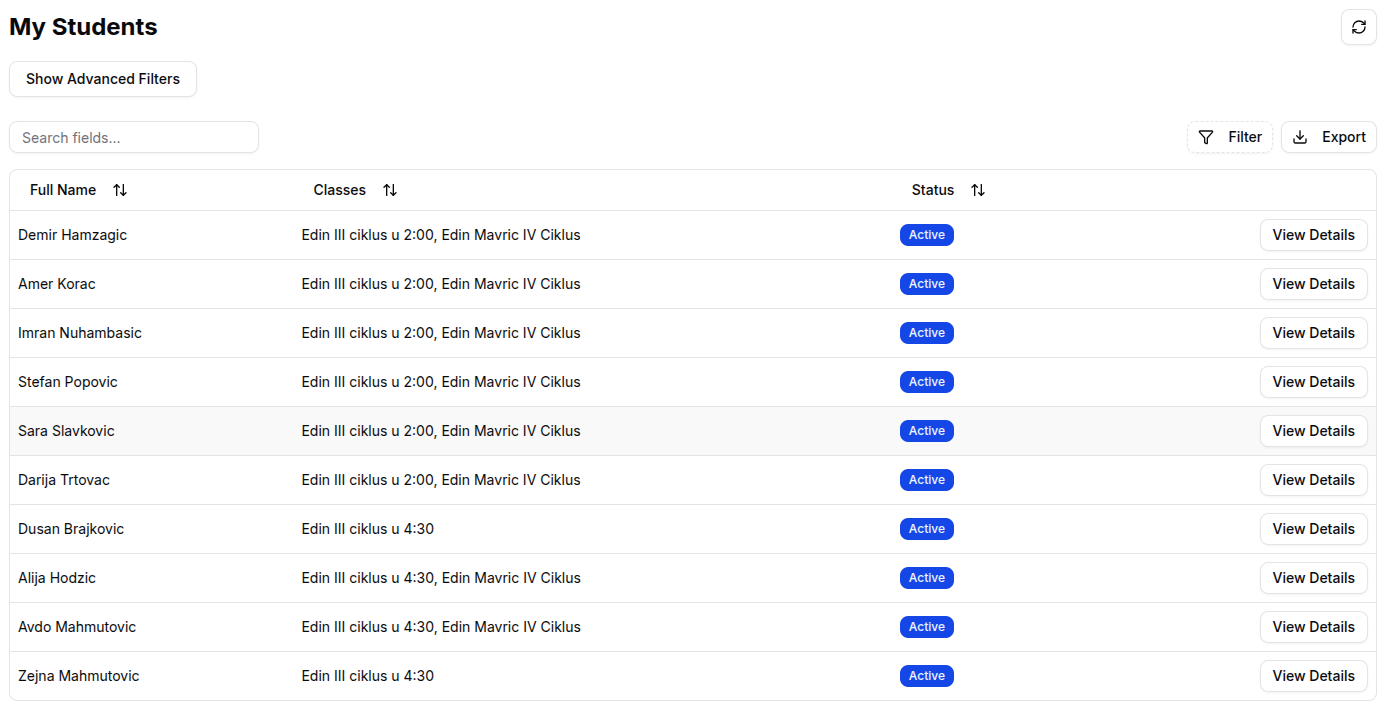
Student Page Features
-
Student Table: View all your students in an organized format showing:
- Student Name: Full name of the student
- Class Information: Which classes they're enrolled in
- Student Status: Is student active or inactive
-
Search and Filter Students:
- Search by Name: Use the search bar to quickly find specific students
- Filter by Class: Filter students by specific classes you teach
- Filter by Performance: Filter by grade ranges or attendance rates
- Sort Options: Sort by name, grade average, attendance rate, or recent activity
Tip: For more information see Tables Guide
- Quick Actions:
- View Details: Click on any student to view their detailed profile
Managing Student Information
- Student Search: Use the search functionality to quickly locate specific students
- Class Filtering: Filter students by the classes you teach to focus on specific groups
Individual Student Profile
Click on any student from the list to access their detailed profile page.

Student Profile Overview
-
Student Information:
- Student Photo: Profile picture and basic identification
- Personal Details: Name, student ID, contact information
- Class Enrollment: All classes the student is enrolled in with you
- Overall Statistics: Attendance rate, grade average, and performance metrics
-
Academic Performance:
- Grades Overview: Current grades across all subjects you teach
- Grade History: Track grade improvements or declines over time
- Assignment Performance: Performance on specific assignments and tests
- Subject-Specific Performance: How the student performs in different subjects
Student Profile Tabs
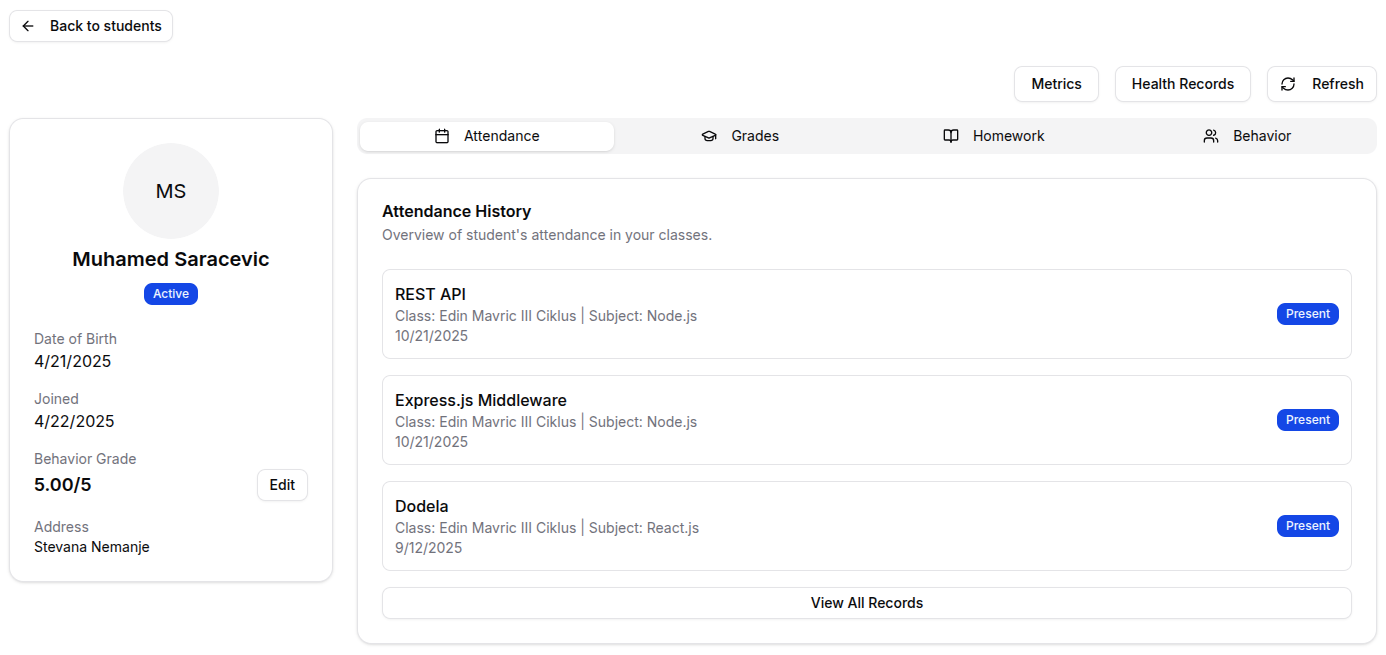
Attendance Tab:
- Attendance Record: Complete attendance history for your classes
- Attendance Patterns: Identify attendance trends and issues
- Absence Details: View reasons for absences when available
- Attendance Rate: Overall and subject-specific attendance percentages
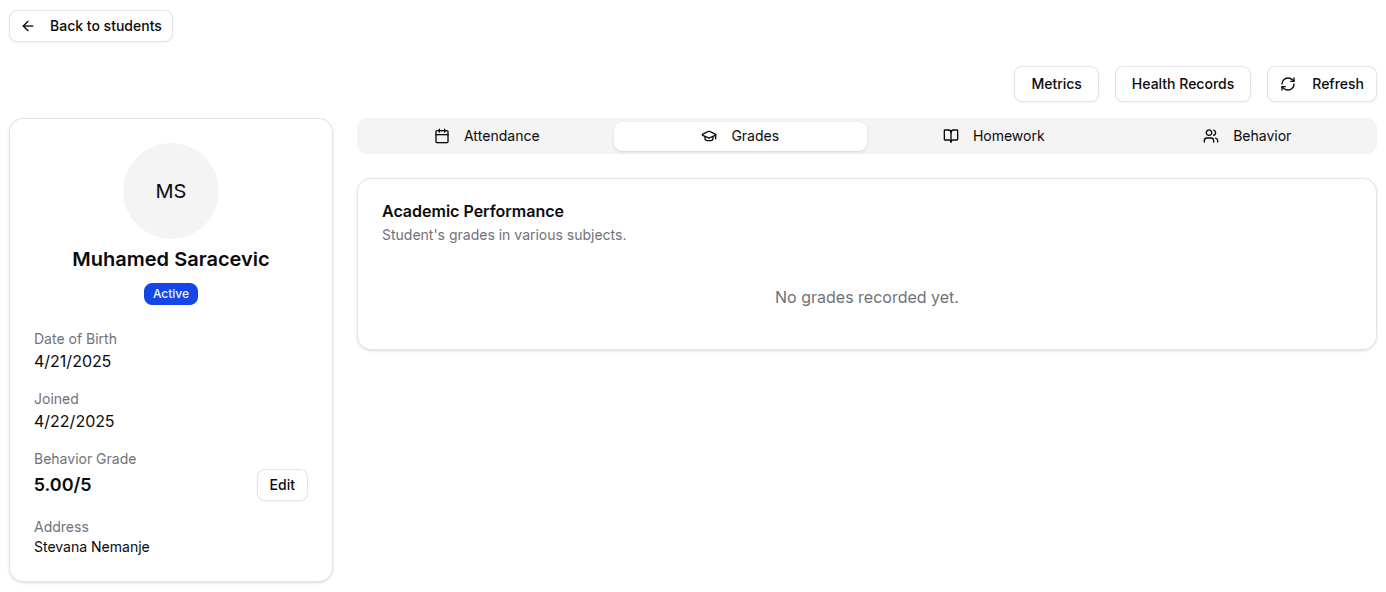
Grades Tab:
- Current Grades: View all current grades for subjects you teach
- Grade History: See grade progression over time
- Assignment Details: View specific assignment grades and feedback
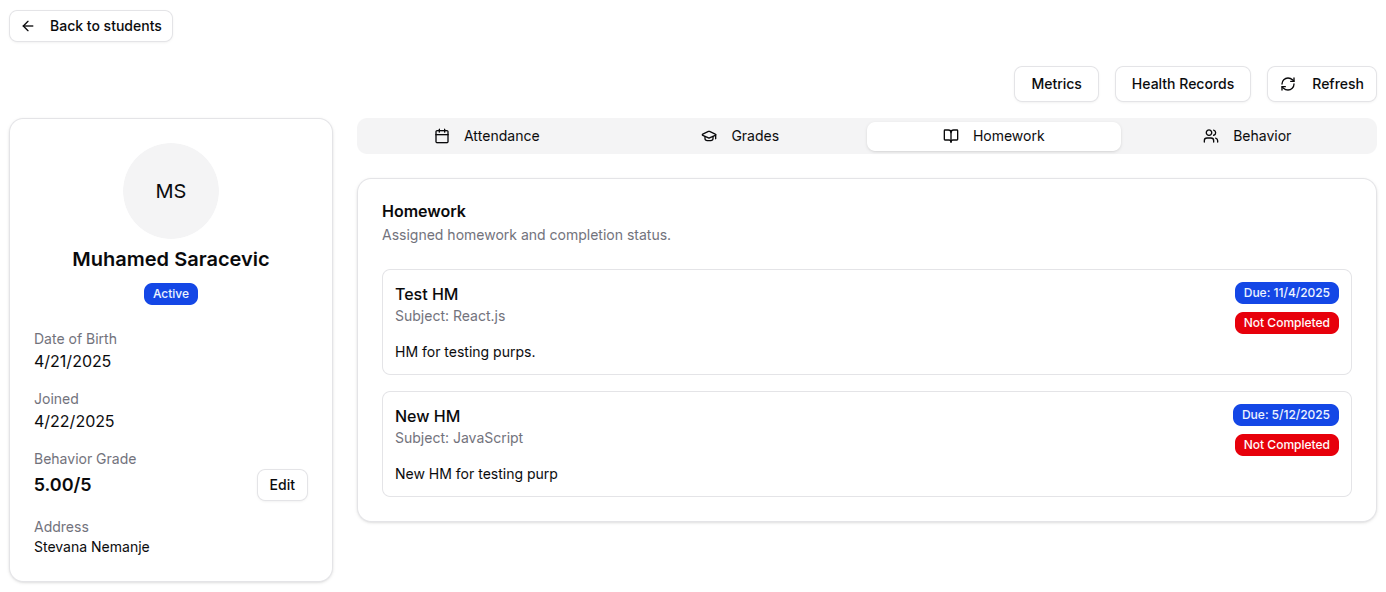
Homework Tab:
- Homework Participation: How the student participates in your homeworks
- Homework Notes: Your notes about the student's performance in specific homeworks
- Behavior Records: Any behavioral notes or observations
Behavior Tab:
- Manage Behavior: Edit student's behavior grades
- See Behavior: See if student is behaving as he should
- Behavior History: Previous behavior records
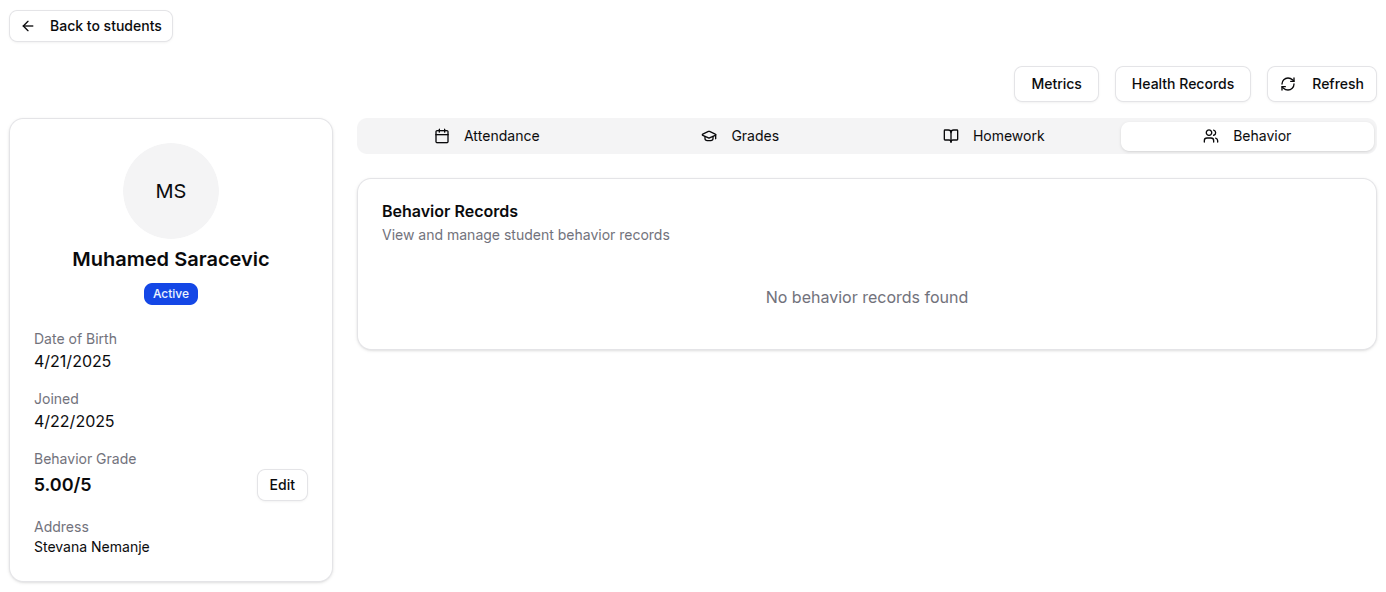
Student Overview
-
Grade:
- See Grades: See all grades for assignments, tests, or participation
- Grade Comments: Add feedback and comments to grades
- Grade Categories: Organize grades by type (homework, tests, participation)
-
Attendance:
- Mark Attendance: Update attendance records for your classes
- Attendance Notes: Add notes about attendance issues or patterns
- Excuse Absences: Mark absences as excused when appropriate
-
Communication:
- Contact Parents: Access parent contact information for communication
- Student Notes: Add private notes about the student's progress or behavior
- Progress Reports: Generate progress reports for the student
Student Progress Tracking
Academic Monitoring
- Grade Trends: Track how student grades change over time
- Subject Performance: Compare performance across different subjects
- Assignment Analysis: Identify strengths and weaknesses in specific assignment types
- Improvement Areas: Highlight areas where students need additional support
Attendance Monitoring
- Attendance Patterns: Identify students with attendance issues
- Class-Specific Attendance: See attendance rates for specific classes
- Absence Tracking: Monitor frequency and patterns of absences
- Intervention Alerts: Identify students who may need attendance interventions
For Organization Types
- Coding Progress: Track student progress on coding challenges and projects - Technical Skills: Monitor development of programming skills and competencies - Project Portfolio: View student coding projects and GitHub activity - Technical Assessments: Review results of coding tests and skill evaluations - Career Readiness: Track progress toward job-ready skills and portfolio development
- Athletic Performance: Monitor physical performance metrics and training progress - Training Attendance: Track attendance at training sessions and practices - Competition Results: View student performance in competitions and events - Health Monitoring: Access health records and injury information - Skill Development: Track development of sport-specific skills and techniques
- Religious Education: Monitor progress in Quran memorization and Islamic studies - Recitation Skills: Track Tajweed and recitation quality improvements - Islamic Knowledge: Monitor understanding of Islamic principles and teachings - Prayer Attendance: Track participation in congregational prayers - Character Development: Monitor spiritual and character development progress
Tips
- Regular Monitoring: Check student progress regularly to identify issues early
- Use Filters: Utilize search and filter options to quickly find specific students or groups
- Track Patterns: Look for patterns in attendance and grade trends to identify students who need support
- Document Progress: Keep detailed notes about student progress and behavior
- Parent Communication: Use contact information to communicate with parents about student progress
- Early Intervention: Address attendance or academic issues as soon as they're identified
- Positive Reinforcement: Note and celebrate student improvements and achievements
- Individual Attention: Use student profiles to understand each student's unique needs and strengths
- Data-Driven Decisions: Use attendance and grade data to inform your teaching strategies
- Regular Updates: Keep student information and grades current and up-to-date